iCad3D+ Software: The Complete Guide to the Industry-Standard Footwear CAD
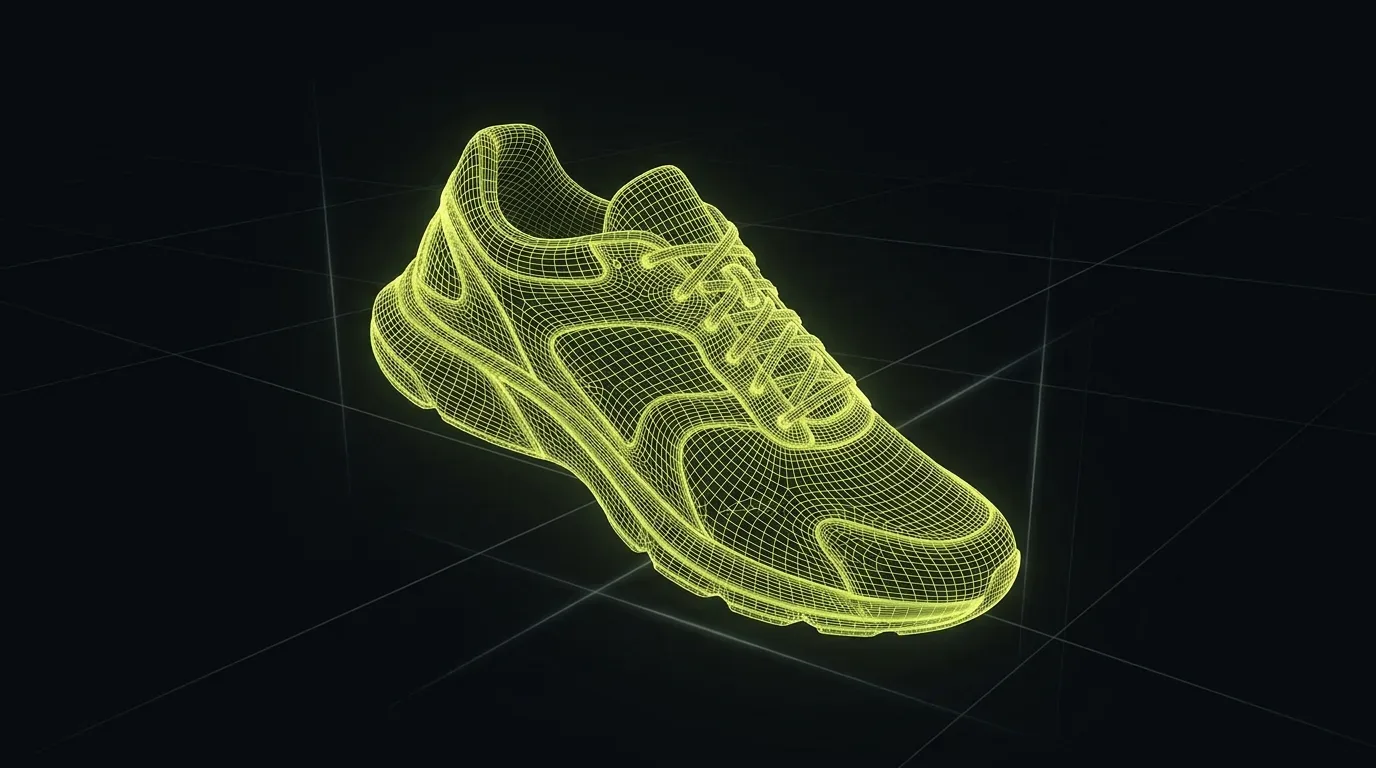
iCad3D+ Software: The Complete Guide to the Industry-Standard Footwear CAD
Ask any footwear designer who has tried Rhino or Blender for a shoe project the same question: at what point did the general-purpose tool fail you? The answer is nearly always the same. It fails at the seam between 3D form and 2D pattern, which is precisely where real shoe production lives. That gap is what iCad3D+ was built to close, and it is why the software now has more than 1,700 installations across 39 countries (INESCOP official product page).
footwear design software comparison
Key Takeaways
- iCad3D+ is the first footwear CAD to run native 2D pattern engineering and 3D design simultaneously in one programme (INESCOP)
- Over 1,700 installations in 39 countries; enterprise users include Tempe/Zara (50+ designers), Hugo Boss, Deichmann, and Camper
- The core workflow follows the real production sequence: last import, 3D upper design, simultaneous 2D pattern flattening, grading, export
- Adobe Substance 3D materials integrate natively via an official plugin
What Is iCad3D+ and Who Builds It?
iCad3D+ is a footwear-specific CAD platform described by its developer as the first software to gather 2D pattern engineering and 3D design into a single programme running simultaneously (INESCOP, official product page). It is developed by INESCOP, a private non-profit research centre founded in 1971 in Elda, Alicante, Spain, with 130 professionals including 19 PhDs on staff (INESCOP — Who We Are). The commercial product is now marketed as Icad Universe through INESCOP Solutions, with Red21 as exclusive global distributor.
INESCOP is not a generic software company that added a footwear module. Its entire institutional mandate, for over 50 years, has been the shoe industry. That focus is built into the software's architecture. Concepts like last, upper, flattening, and lasting allowance are not mapped onto borrowed paradigms from automotive or aerospace CAD. They are native to how the programme reasons about a shoe.
The product ships in four tiers: Icad Discovery (pattern engineering only), Icad Lancer (3D design), Icad Evolve (combined modules), and Icad Workspace (cloud collaboration). INESCOP's broader CAD and software portfolio claims more than 2,000 installations worldwide, positioning the institute as a world leader in computer-aided footwear design systems (INESCOP — Software for Footwear).
In training sessions I've run with designers coming from Rhino or Blender, the most common reaction in the first few hours is disorientation. Not because iCad3D+ is harder — it is not. It is because it thinks like a shoemaker, not like a generalist modeller.
Why Do Major Footwear Brands Choose iCad3D+?
The clearest argument for any professional tool is the company it keeps. Tempe, Zara's footwear subsidiary, operates a team of more than 50 shoe designers who work daily in iCad3D+ (Arsutoria School — Software for Shoe Designers). Deichmann, Germany's largest volume shoe retailer, also uses iCad3D+ internally. Hugo Boss uses the platform for product development across uppers, soles, and accessories, with Simone Pulzato (Business Strategy Principal at Hugo Boss) describing how the tool allows designers, developers, and brand managers to understand collection structure together (Prisma Tech Italy — iCad3D+).
The Camper and Nnormal capsule designed with athlete Kilian Jornet was developed entirely in 3D using iCad3D+, confirmed by Simac Tanning Tech in January 2025 (Simac Tanning Tech). These are not pilot experiments. These are full production pipelines at major brands.
When organisations of that scale adopt a single tool as an operational standard, the market follows. Suppliers learn it. Schools teach it. Junior designer roles list it as a requirement. The "industry standard" label is not marketing copy — it is the downstream consequence of mass adoption by the largest producers.
As digital product development replaces physical sampling, software fluency is becoming a hard professional prerequisite.
How Does iCad3D+ Work? The Production Workflow Step by Step
iCad3D+ mirrors the real production sequence of a shoe, taking each analogue step and running it inside a single connected environment. Understanding this logic is the fastest path to learning the software. The workflow is linear by design, because the physical craft is linear.
Step 1: Last Import and Positioning
Everything begins with the last — the 3D form that defines the shoe's internal shape, toe spring, heel height, and volume. iCad3D+ imports lasts in .igs, .stl, .obj, and .wrl formats, or you can build one from scratch inside the software. Positioning matters: heel height, toe inclination, and spatial orientation all set the parameters for every step that follows. An error here compounds through the entire pattern.
For a full guide to this foundational step, see Shoe Last 3D Modeling.
Step 2: Flattening the Last Surface
Once the last is in place, the curved 3D surface is unrolled into a flat 2D representation. This is the flattening step, the digital equivalent of what a pattern engineer does by hand with a last and adhesive tape. The output is a precise flat shell — called a camicia in Italian technical vocabulary — from which all upper pattern pieces are drafted. The accuracy of this step determines whether your 2D pattern will actually fit the 3D form when sewn.
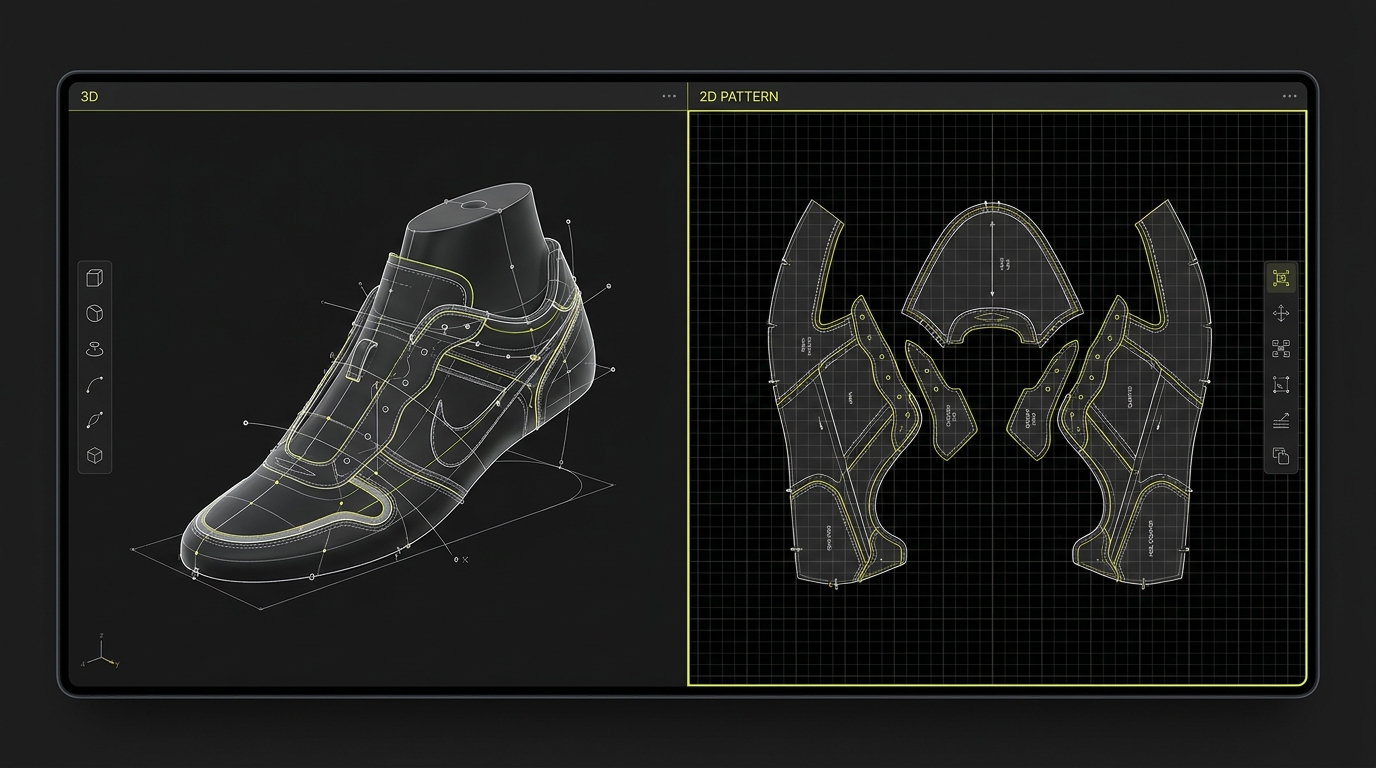
A detailed breakdown of this process lives in Shoe Pattern Flattening: From 3D to 2D. What iCad3D+ does that generic tools cannot: the flattened pattern updates in real time as you modify the 3D upper. That bidirectional link between environments is the core differentiator.
Step 3: Upper Design in 2D and 3D Simultaneously
With the flat shell as a base, the designer draws the lines that define individual upper components: toe cap, quarter, tongue, counter. This can happen in 3D on the form or in 2D on the flat. Both views stay live and in sync. Seam allowances, lasting allowances, and margin widths are set directly on the pieces, already expressed in production terms.
For a practical walkthrough of this phase, see How to Model a Shoe Upper in 3D.
Step 4: Sole, Heel, and Construction Details
Soles, heels, outsoles, and accessories — buckles, eyelets, laces — are built in the same environment. The software handles the geometry of a heel breast or a stacked leather outsole with the same specificity it applies to upper panels. See 3D Sole and Heel Design in Footwear for a dedicated guide.
Step 5: Materials, Colorways, and Rendering
iCad3D+ ships with a physically-based rendering (PBR) material system. Leather, textile, rubber, and plastic textures can be applied directly to the 3D model with real-time preview on the last. Adobe Substance 3D materials are natively integrated via an official plugin; the software ships with 10 free Adobe Substance materials, and users can load the full Substance Assets library directly inside iCad3D+ (Adobe Substance 3D — Substance in iCad3D+). A single silhouette can be configured into multiple colorways in minutes, producing a digital sample board ready for collection presentation.
For PBR material setup, see PBR Materials and Textures in Footwear. For the final rendering step: Photorealistic Shoe Rendering Tutorial.
iCad3D+ vs Rhino, CLO3D, and Blender: An Honest Comparison
iCad3D+ is not the right tool for every designer. Knowing where it wins — and where it does not — is more useful than a blanket recommendation.
| Feature | iCad3D+ | Rhino | CLO3D | Blender |
|---|---|---|---|---|
| Native 2D pattern engineering | Yes | No | Partial (garment logic) | No |
| Footwear-specific last flattening | Yes | No | No | No |
| Simultaneous 2D+3D environment | Yes | No | No | No |
| Adobe Substance 3D integration | Yes (official plugin) | Via plugin | Limited | Via plugin |
| Approximate licence price | ~€10,000 | Under €1,000 | ~€5,000/yr | Free |
| Primary institutional backing | INESCOP (footwear R+D) | McNeel | CLO Virtual Fashion | Community |
Price data: (Arsutoria School — Software for Shoe Designers).
Rhino is excellent for 3D surface modelling and costs a fraction of dedicated footwear CAD. Many sole and last designers use it. But it has no native last flattening, no pattern engineering module, and no production-oriented piece management. You can adapt it for footwear with plugins and discipline — but you are always fighting the tool.
CLO3D is purpose-built for apparel and has a strong drape simulation engine. For soft goods with minimal structure it is powerful. For a shoe with a rigid last, a lasting allowance, and precise 2D pattern grading, it is the wrong category of software.
Blender is the creative wild card. It handles organic sculpting and renders beautifully. For concept visualisation of a shoe it is a legitimate option. It is not a pattern engineering tool.
iCad3D+ makes sense when the output must be a production-ready pattern, not just a render. If your workflow ends with a file going to a factory, not to a client presentation, this is the tool the file needs to come from.
For a more detailed breakdown, see Best Software for Shoe Design: Full Comparison.
Who Uses iCad3D+? Profiles and Use Cases
The software serves a wider range of professional contexts than its specialist positioning might suggest. We have seen this across the range of students and professionals who pass through training.
Junior designers entering the industry. The structured workflow teaches the logic of shoe construction while you learn the tool. You do not need years of 3D experience. The programme forces you to work in the correct production sequence, which accelerates the intuition that takes years to build in analogue practice.
Senior designers and pattern engineers. For professionals who already know the process, iCad3D+ provides the precision and depth that analogue methods and generic CAD cannot match. Advanced features like last deformation, complex grading, and realistic material preview are built for this level of user.
Brand style offices and product development teams. Digital sampling with full colorway variants, photorealistic materials, and presentation-quality renders means a collection can be reviewed and revised without a single physical prototype. Politecnico Calzaturiero director Mauro Tescaro put it directly: "Being able to use 3D technologies makes it possible to produce a single prototype with the required range of colours and designs" (Prisma Tech Italy).
Freelance designers and technical consultants. The flexibility of the software adapts to commissions across very different styles and clients, in shorter timelines than physical sampling allows.
For a broader picture of where iCad3D+ proficiency fits a footwear career, see How to Become a 3D Footwear Designer.
Where iCad3D+ Fits in the Broader Footwear Industry
The footwear CAD market is not a niche. Digital product development is the structural driver: physical sample costs, development cycles, and sustainability pressures are all pushing brands toward earlier, higher-fidelity digital representation.
INESCOP's positioning within this market is institutional rather than purely commercial. Founded in 1971, it serves approximately 1,000 clients annually across more than 400 member companies, with 130 professionals and 19 PhDs on staff (INESCOP — Who We Are). When the institute says iCad3D+ reflects 30+ years of CAD research specifically for footwear, that claim has a research record behind it that commercial software companies cannot replicate.
The web-capable version of the software was presented at SIMAC 2021, allowing models to be exported to a cloud server and viewed or configured in any browser, including on mobile (Simac Tanning Tech — iCad3D+ on any web platform). That shift toward cloud access is significant for distributed teams and remote suppliers.
Named users span European footwear districts (Spain, Italy, Germany) and extend to 39 countries. The presence of Tempe/Zara, Hugo Boss, Deichmann, and Camper as confirmed users covers the value chain from fast fashion volume to luxury athletic. That breadth signals a tool designed for professional production realities, not a single segment.
How to Learn iCad3D+
Access to formal iCad3D+ training is concentrated. Arsutoria School in Milan includes it as the primary 3D software in their 15-week footwear diploma, with a 5-week 3D module, describing it as "an essential tool in the modern footwear industry" (Arsutoria School). Politecnico Calzaturiero in Vigonza (Padua) has collaborated with Red21 since 2008, offering a 28-hour dedicated course and reporting a 95% employment rate for their design school graduates (Prisma Tech Italy — Politecnico Calzaturiero case study).
Both are in-person, fixed-schedule programmes requiring physical presence in Italy. For designers outside those districts, or those who need on-demand access rather than fixed cohorts, that format is a real barrier.
I built the 3D Footwear Design course to fill that gap: a structured on-demand curriculum covering the full iCad3D+ production workflow, from last import through rendering, with the same sequence I use in professional practice. I'm Susanna Zampieri — a 3D footwear designer and official iCad3D+ trainer with more than 10 years in the industry, work across 50+ luxury brands, and 100+ students trained (about Susanna). The course covers beginner through advanced production topics, and experienced designers can skip directly to the modules on pattern engineering, PBR materials, or rendering.
FAQ
What is the difference between iCad3D+ and Icad Universe?
They refer to the same product at different points in its branding history. iCad3D+ is the product name. Icad Universe is the commercial brand under which INESCOP Solutions now markets the full tiered suite (Discovery, Lancer, Evolve, Workspace). Red21 is the exclusive global distributor. Some older documentation also references the name Crispin, which is no longer current.
Does iCad3D+ include 2D pattern engineering, or is it only 3D?
Both, and that is the core differentiator. According to INESCOP's official product page, iCad3D+ is specifically described as the first software to gather 2D pattern engineering and 3D design into a single programme operating simultaneously (INESCOP). You design the upper in 3D on the last and the flat 2D pattern updates in real time, and vice versa.
How much does iCad3D+ cost?
A complete licence for dedicated footwear CAD software at the level of iCad3D+ costs approximately €10,000, compared with Rhino at under €1,000 (Arsutoria School). The exact figure varies by tier and configuration. Contact Red21 or an authorised distributor for a current quote. Some schools include software access as part of their programme fee.
Do I need prior 3D experience to learn iCad3D+?
Not necessarily. The software is structured around footwear production logic rather than generic 3D modelling conventions. Designers who arrive with solid knowledge of the construction process often find the learning curve more manageable than those coming from architecture or product design CAD backgrounds. The workflow sequence maps directly to what a physical pattern engineer does, so craft knowledge transfers.
Which file formats does iCad3D+ support for last import?
iCad3D+ imports lasts and 3D geometry in .igs (IGES), .stl, .obj, and .wrl formats. This covers the main output formats of parametric and sculpt-based 3D software, meaning you can bring in lasts from Rhino, ZBrush, or scan-to-mesh pipelines and work within iCad3D+ from that point forward.